
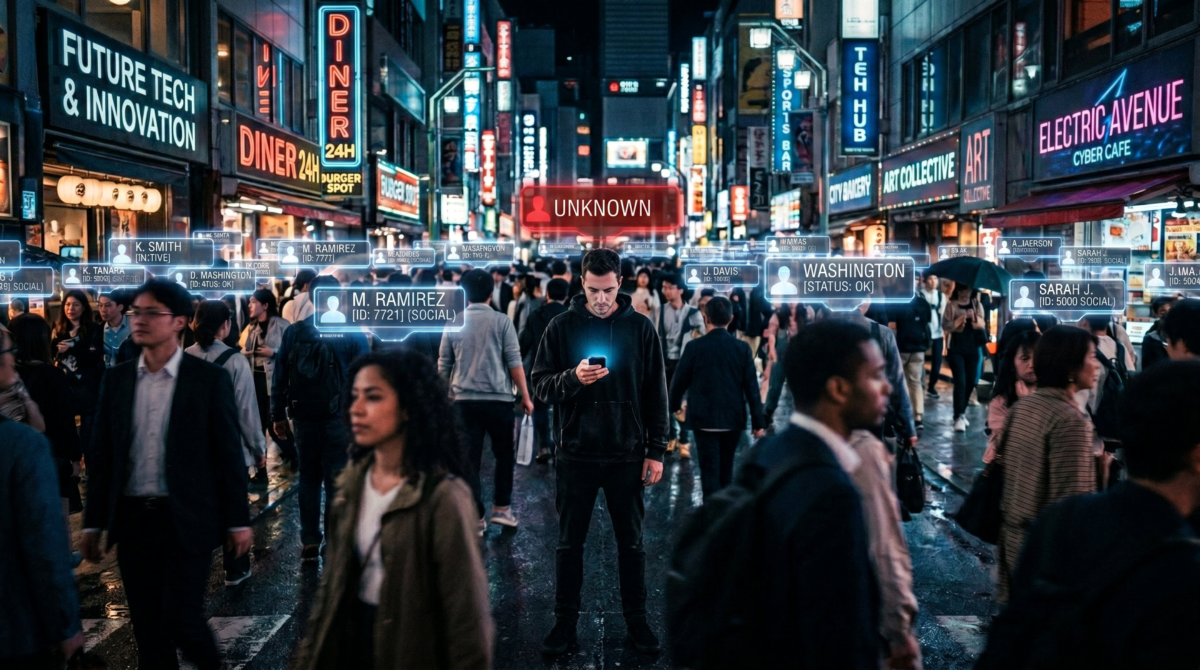
This is the first of what will be a multi-part series on how to enhance your privacy and digital security. Right now, there is little or no stigma for preppers or gun owners, but there has been in the past, and it is likely there could be in the future, especially if the Democrats or socialists regain power. I take a number of steps—some of which are outlined below—to minimize, obscure, and camouflage my digital footprint.
If you like that idea, you’ll probably like this series. If not, well, I’ll likely be throwing in some standard prepping, homesteading, and beekeeping reports this week. (We harvest honey the week of the 14th.) Plus, if the war in Iran flares up, or there is some other national or global event, I’ll cover or react to it here.
In the meantime, consider some of the ideas below. Not only will they help keep you safe from tyrants and socialists, but from hackers, scammers, trackers, sniffers, and identity theft.
Protecting My Privacy
To protect my privacy and be somewhat discreet in how I live my online life, I:
- Have at least eleven email addresses;
- Use five different first names, not counting variations like Pete and Peter;
- Match those with several last names and different birth dates;
- Use five mailing addresses, two of which are P.O. Boxes;
- And I have had six different phone numbers over the past two years, three of which are now defunct.
I also operate under more than one LLC plus a “doing business as” name. This includes LLCs in states where the owner’s identity is not linked to the LLC upon creation and can only be found if you can access tax records. That assumes the LLC makes enough money to pay taxes; if not, there is no such record. As a result, I drive a car that is not registered in my name, and I live in a house that is not in my name.
I have also changed my desktop computer (and therefore my hardware’s digital footprint) twice in the past five years, plus I occasionally use a laptop, usually on Wi-Fi addresses outside my home. Speaking of Wi-Fi, I have changed my Wi-Fi network name once, used Starlink for a year (which had a different network name), and regularly use a VPN. This post is a good reminder that it is time for me to change the Wi-Fi name again.
Now, this may sound clever or it may sound like a lot of work, but it is neither. This is just scratching the surface of what celebrities and rich and/or famous people do to keep their private lives private. They no doubt have an army of assistants and attorneys, but I have done it all myself at minimal cost. So can you.
The Why
I’m going to give you a big reason why, and then explain to you how you can do some of the same things for little or no cost and a minimal investment of time.
First, let me state that I am not doing this to avoid the government, nor do I expect it would successfully hide me from them for very long. I pay taxes and use my real name for large chunks of my daily life. It is only in my prepping life, my guns life, and my online life that I try to obscure my true name.
Coincidentally, this mishmash of names and addresses has helped me avoid being served when someone tried to sue me civilly. The process servers went to the wrong address. The people there had never heard of me. I imagine the servers left the other party scratching their heads!
The biggest reason I do this is to keep my prepping life a quiet so the rest of the world does not show up at my house with the SHTF, but privacy has always been a concern. Back when I was in college, I read books on how to disappear or create an alternate identify; books like The Paper Trip and The Paper Trip II. Some of those techniques still worked in the early 1980s, but won’t now. But identities assumed and legitimized back then are still valid and now backed up with 40 years of real data.
I address my need for privacy by living a visible public life and a series of private ones. As you can see in the video below, an excellent reason to maintain discreet identities or use lots of unique email addresses is to avoid what is known as a correlation attack:
The How
This is the fun part! I’m going to share with you some things I do to generate alternate names, usernames, addresses, phone numbers, etc.
Suffice to say, the names, usernames, and email addresses and other data I use on prepping websites, bee forums, and shooting boards are all different. So if someone tries to correlate one of my pickled-prepper.com emails, they will find little correlates with it. If they track down my bee email, it won’t be tied to my true ID, my emergency management experience, or my prepping background.
I recommend that the names and email you use posting online are not the same names and email accounts your mom or your kids would recognize.
Names are What you Make of Them
Years ago, I knew a young woman named Lisa who left her job on a Friday and started at a new company the following Monday where she told everyone her name was Elizabeth. Technically, this was true. Her birth name was Elizabeth, but from childhood to age 26, she had been known as Lisa. The lesson here is that people will call you want you tell them to call you. Maybe it won’t be on your ID, but how many casual acquaintances check your ID? And if a teenage boy can “identify” as a girl to win sports contests, I don’t see why we can’t all “identify” as someone else from time to time to enhance our privacy.
Now, Lisa/Elizabeth could have used Eliza, Liza, or Liz. (Maybe she has since then!) Her last name started with an M. She could have called herself Em, and everyone would have assumed her name was Emma or Emmaline. If “caught” in the discrepancy, she has an easy out: “My initials are E-M, so back in junior high, my friends started calling me Em. My dad started playing along, calling me ‘Em’ as a joke, and it just sort of stuck.” Who’s going to argue with a story like that? And no one is going to think she is doing it to hide in plain sight.
My point is, you can use whatever name you want, unless you’re applying for a driver’s license, a bank account, or something else “official.” For most non-monetary items, you can use a nickname, and no one will think twice. And that’s in person. Online, it’s even easier to use a different name. Or a different sex. Or age. You just have to be consistent.
Getting a Different Email Address
Getting one or more additional email addresses is pretty easy: just go to Google and sign up for a new Gmail account. You can also sign up for several kinds of Microsoft email addresses, a Yahoo address, or even an AOL address. If you want people to think you’ve been using the same email for decades, get an AOL address. It practically screams, “I’m old and hate change.”
My old friend Lisa/Elizabeth could have LisaM1077@aol.com as her original address. People would assume her name is Lisa, her last name starts with an M, and she was born in October 1977. Since AOL was popular in the 1990s, the 1977 makes perfect sense as a birthday. That email address gives us—or someone trying to track her down—quite a bit of accurate information. Now let’s say Lisa got a cat in 2005 named Tiger. She might use Tiger2005 as a password. Bad idea! Anyone scraping her Facebook might figure that out. You should never use dates, names that are visible on your social media, addresses where you have lived, vehicles that you have owned, or other identifiable information in a password.
But if Lisa was on a cat forum, her username TigerCat2005 would be perfect and is impossible to track back to her true name. She could create Tigercat2005@yahoo.com and use it for any cat-related communications. This way, if the forum is hacked, they get an email account that is not associated with her name, location, bank account, or other personal details. That’s a minimal level of protection everyone should have. Use unique email addresses for different parts of your life and keep your work and personal emails on separate accounts.
Professional Email Addresses
Let’s flash forward a decade or more. Lisa/Elizabeth has founded a small side business selling personalized cat stuff to people on the forum. They send in a photo of their favorite pet, she produces T-shirts, mugs, Christmas ornaments, placemats, etc. She branches out into customized collars, pet bowls, and other goods. Once she makes more than a few thousand dollars in sales, she forms Tiger Cat Sales LLC. She then goes to GoDaddy and reserves the domain name TigerCatSales.com.
The domain name is a gateway to a whole new email world. Right from GoDaddy, Lisa can create an email account on that domain. Better yet, she goes to Google and signs up for a Google Workspace account. For about $8 a month (although Google tried to sell her the $15 version), she gets a supercharged Google account, extra storage space on Google Drive, access to all of Gemini’s AI tools, and pretty much unlimited email addresses. She creates a primary address, EM@tigercatsales.com. Then she makes aliases, like sales@tigercatsales.com and shipping@tigercatsales.com. When she creates an Etsy store, she uses Etsy@tigercatsales.com.
The Fake Persona
While this is still a one-woman business, Lisa also creates Tony@tigercatsales.com and then uses Gemini to create a fake picture of the imaginary Tony in their “warehouse” shipping packages. She posts the photo on their website and on Etsy. It’s all made up. Everything is drop shipped or Lisa handles shipping herself from her garage, but the world doesn’t need to know that. Tony is tough and has tattoos; he is everything Lisa is not. She likes that façade; it makes her feel a little safer and the company seem a little larger.
To further obscure her personal privacy as her interactions with the public increase, Lisa goes to the local UPS Store and opens an account. Now all her returns go to the UPS store, meaning she doesn’t need to put her home address on the package. This is another good safety measure because who knows what an angry customer will do over a $23 cat bowl? Cat people can be crazy!
Whether or not she realizes it, Lisa/Elizabeth has now created her first fake persona. (You can too.) She controls Tony’s email address. Nothing is stopping her from posting on Reddit, subscribing to various substacks, or even posting on prepper websites as Tony@tigercatsales.com. She feels emboldened by the idea that anyone who searches for her will think she is a muscular dude with tattoos rather than a slender, yoga-practicing woman in her late 40s. And if necessary, Tony can “resign” and she can “hire” Tank or some other tough-sounding warehouse worker.
Misspellings
We’ve talked about nicknames and using abbreviations, but another thing to consider is a misspelling. If Lisa’s last name is Matson, no one would be surprised if she occasionally gets mail to Lisa Madsen. Those darn catalog companies! They can’t get anything right.
That’s a phonetic typo, explained by someone “hearing” something wrong or making an assumption. So is Dieter instead of Peter. There are also typo misspellings. The last name Carroll, for example, could have a different number of Rs or Ls, or both. This won’t fool the human eyeball for long, but it can make a simple database search come up empty.
Typos happen. Use that to your advantage. In the early 1990s, I applied for a bank account and reversed two of the numbers in my social security number. It took more than 18 months before the bank noticed. I apologized and blamed the woman who had opened the account for me. These days, with all the “Know your customer” laws, I doubt that could happen.
Phone Numbers and Wi-Fi Security
The next installment will cover getting multiple phone numbers, taking steps to secure your phone, burner phones, ghost phones, Wi-Fi security, and protecting your laptop from passive sniffers and data grabbers.
NOTE: All email addresses in this post are fictitious. The story about Lisa changing her name over a weekend is true, but the rest of her story is not.